You might not realise how important colours are in web design. If a website is green, it might as well be blue; it doesn't matter. And while I thought this myself for a long time, I recently came to the conclusion that the colour is actually going to make a huge difference and express something different to your audience. There are psychological effects behind each colour and tone, therefore I decided to tell you more about them.
Human senses get excited about lots of stuff. One of the most effective ways to excite somebody is to project a red hue colour onto the walls of their room. It's been done before by scientists and they came with a clear conclusion. A person who lives in a red room has a higher heart rate and blood pressure than a person living in a blue room. This is because red symbolizes excitement, we all know this. There is a reason why fast food companies choose red as their main or secondary color. Good examples are Coca-Cola, McDonald's, Burger King or Pepsi (although blue is their main color).
Colours Stimulate Senses
Colours can stimulate and excite people, increase their appetite, make them feel warm or make them feel tranquil. Red simply makes you excited according to those who study chromodynamics. Coke's website is red: it gives you a feel of a lazy, hot summer day: just when you feel the need to drink Coke.
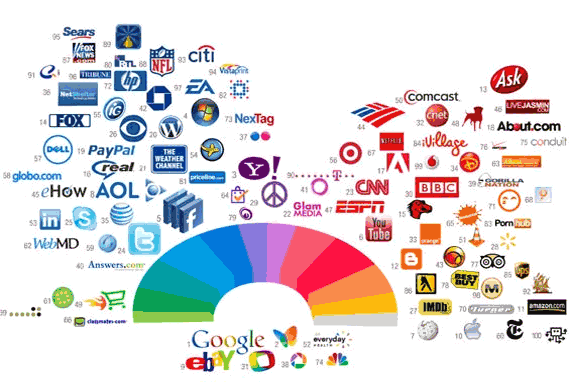
There's more to colours in web design than just the emotional factor. People tend to gamble more under red light conditions than under blue light. This is the main reason behind cities like Las Vegas using a lot of red lights. Colours have impact on performance. Red lights make people act quicker and feel more powerful, which is not always beneficial, while blue makes people think more before acting. There is a reason STOP signs are red: you need to act right away and stop the vehicle you drive, otherwise you are in danger.
Mixing Colours
Mixing colours is beneficial if done the right way. Mixing very complementary colours is also something people do, but it should only be done occasionally. It shouldn't be overdone because it has a bad effect on people's eyes. You can think of a black website with pink text. Now that's an image I would like to get out of my head as soon as possible :).
There is a very good trick behind using complementary colours together. Drawing a thin neutral white, gray or black line around the two coloured shapes will make the eyes see both colours separately. Just look at the Pepsi logo below: red and blue are separated by not only a thin layer of white, but by a quite big one. This white shape blends red and blue better then if they would be placed right on top of each other.

Colours and Cultures
Moreover, colours mean something else in different parts of the world. While red means luck in China, it means a lack of it in Germany. Huge corporations with lots of financial resources will use large amounts of money to study the effects different colours have on different cultures, before entering a new market. Many think it is impossible, but clients can be lost because of using the wrong colours.
And while huge corporations usually hire experts to do this research for them, the results are not always good. Every designer (and every person in general) has a tendency to like colours or combinations of colours and to use them in different situations because it's what they personally like. I myself love red and black together, pretty obviously because I've been supporting Italian outfit A.C. Milan for almost ten years now. This is not such a good asset when working with colours is your way of earning a salary. It is crucially important for designers to tear all their personal favorites apart and only focus on the clients and their needs.
Colours for a Website
Picking a colour for a website means much more then picking your favorite colour and turning it into a layout. It means picking the right colour in order to get the desired response from your audience. If you know your audience well and figured out which colour works best for them, you are already halfway there in the creation process. It is also quite unlikely to pick a colour that will fit every visitor of your website, therefore it is even more important to be able to determine which colour and tone works best for most users you target.

According to different sources, half of the people visiting a website don't come back because of the colour of the design. The first thing people need to recognize when they see your site are the brand colours. If you have multiple colours and they can't see the most dominant, it means you should consider a redesign.
- If you have a blue colour scheme, people will likely give you a better response when in a good mood. If you want a clean, white design, it's fine too. But if you want to make it exciting, use bright red or orange here and there. White and green work great together, and if you want to be stylish and modern without using intense colours, go for white and gray. Such a combination illustrates something glamorous, sleek, fresh and clean. Just look at the classy example below.
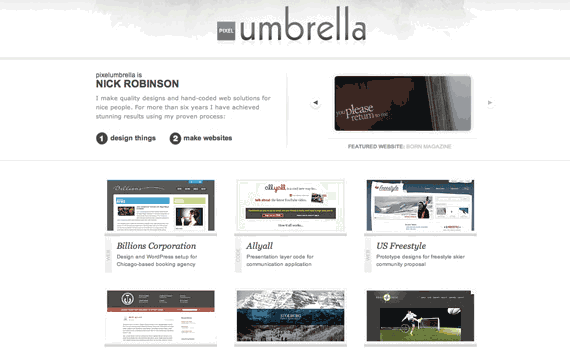
- If you like darker shades, pretty much everything works well with black as long as black is not the dominant colour. A website with a black background can be fancy and look good, but is not easy to read. The two simplest combinations you can go for are black and white or black and a bright grey. Although a very powerful contrast, black and orange work really well together, but might require white for balance.
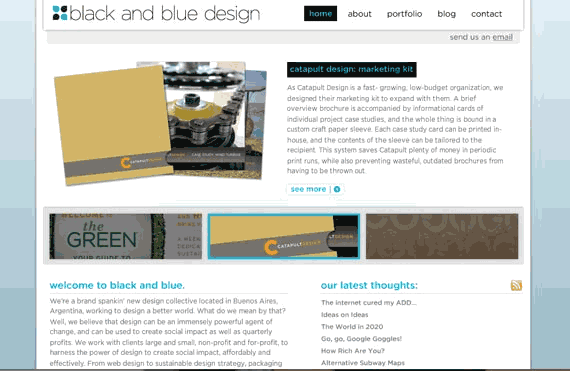
- If you want to combine both black and white with a colour, then they work really well with blue; make sure white is dominant, otherwise you need a very bright blue to dominate. Don't give black a lot of emphasis in this combination. You can see a good example below. The second example is quite poor and shows how this combination can be put into practice. Not only is the design outdated, but the colours make it even more difficult to bear.

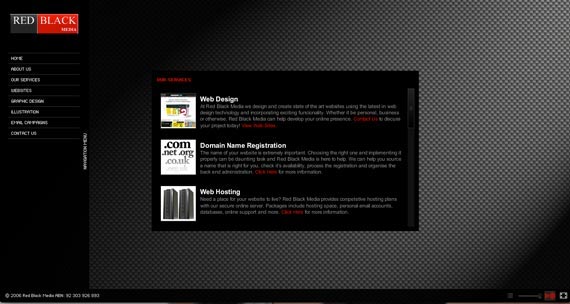
- Black and white work very well with red too, but make sure red is not dominant, as then it gets too powerful and creates an unbearable contrast with black. You can see two good examples below.

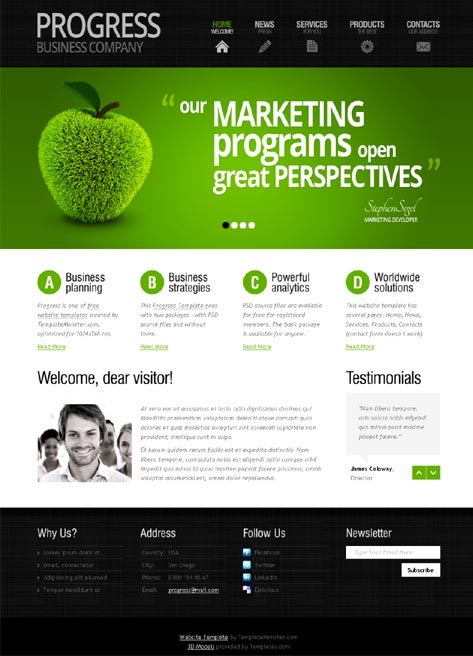
- A third combination I would recommend is black, white and green, and you can see down below why.
Conclusion
Using the right colour in your designs is crucial and I am sure you can see why. Although it might sound wrong, by using the right colour in accordance to your audience will increase the likelihood of them doing what you want them to do. But wrong or right, this is what all designers work for, sending a message to an audience and then hoping to get a response from them. If you understand how colour psychology works and which colour fits your audience, you are a step closer to launching a successful website.
 One of the best ways to improve your site's SEO and get higher rankings is by maintaining a blog. A good blog will both prove to Google that your site is high-quality, and create content that is more likely to be shared on sites such as Facebook and Twitter. It's also a great way to provide extra information to viewers, stuff that doesn't quite fit onto the site. Of course, setting up the blog is the easy part. Figuring out what to say can be much trickier. It's the content that will boost your SEO, so it's essential that what you're writing is clear, easy-to-read and above all, useful. You want your readers and customers to engage with your content, so make it interesting and relevant.
 There are few indicators more off putting to someone browsing the web than a site that is not up to date. Potential clients will quickly look elsewhere if News is several weeks old or special offers have expired. After all if the organisation doesn't care enough to maintain a current profile on its site, will it care for you?